Timmy
Delete your account
Last updated: 29 August 2026
You can delete your Timmy account from the app. After you confirm with an email code, the account is scheduled for removal in 30 days. Signing in again during that window cancels deletion and keeps your account.
Before you start
Settle all open balances first. Timmy will not schedule deletion until group balances are settled. You also need access to the email on your account.
What happens
- A code is emailed to confirm it is you
- The account is scheduled for deletion in 30 days
- Signing in before then cancels deletion
- After 30 days, the account is permanently removed
01
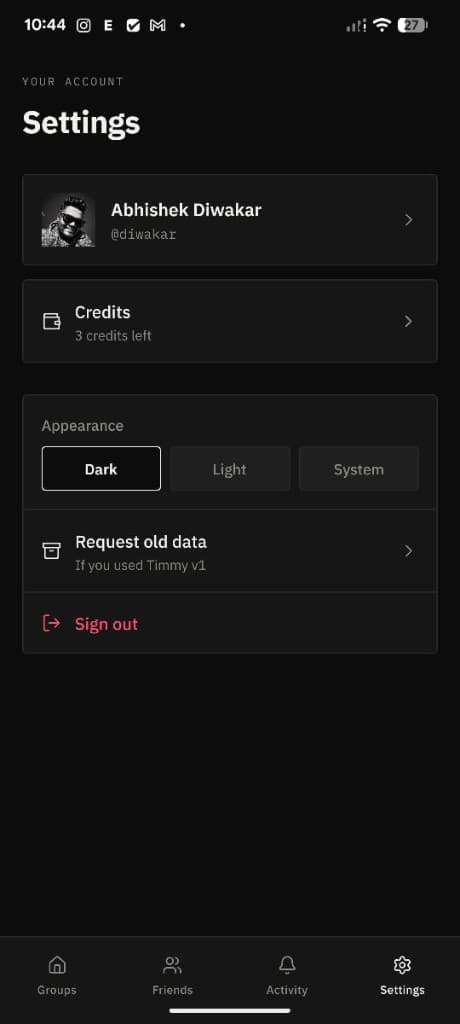
Open Settings and tap your profile
Open Timmy and go to the Settings tab. At the top of the screen, tap your name and photo to open Profile.
02
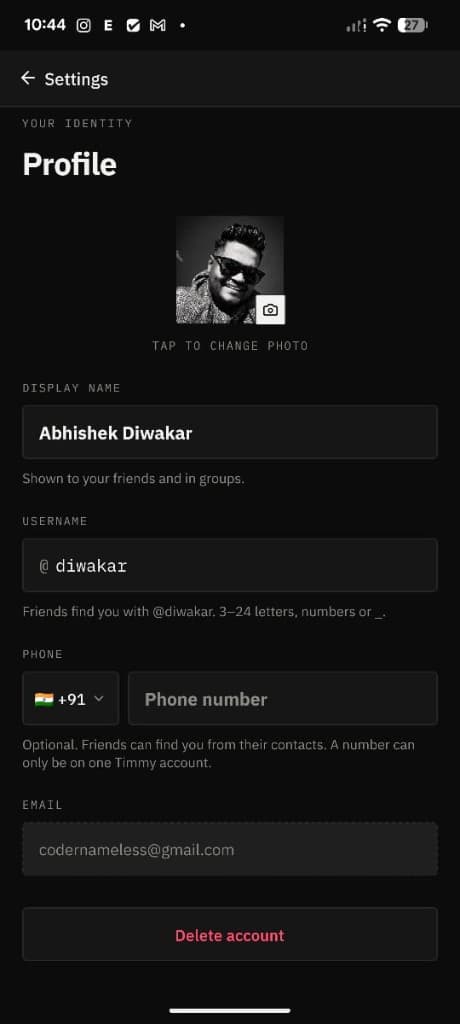
Scroll down and tap Delete account
On the Profile screen, scroll to the bottom and tap Delete account.
03
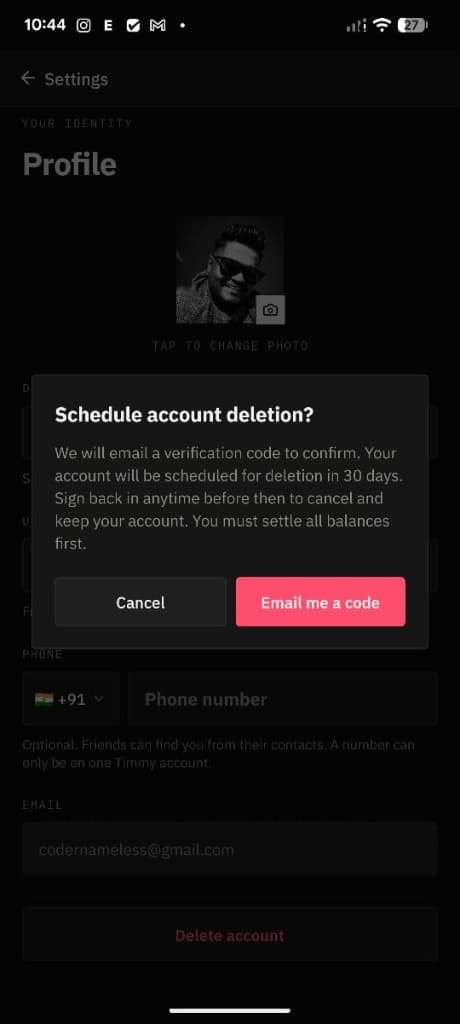
Confirm and email yourself a code
Timmy asks you to confirm. Deletion is scheduled for 30 days, and you can cancel anytime before then by signing in. You must settle all balances first. Tap Email me a code to continue.
04
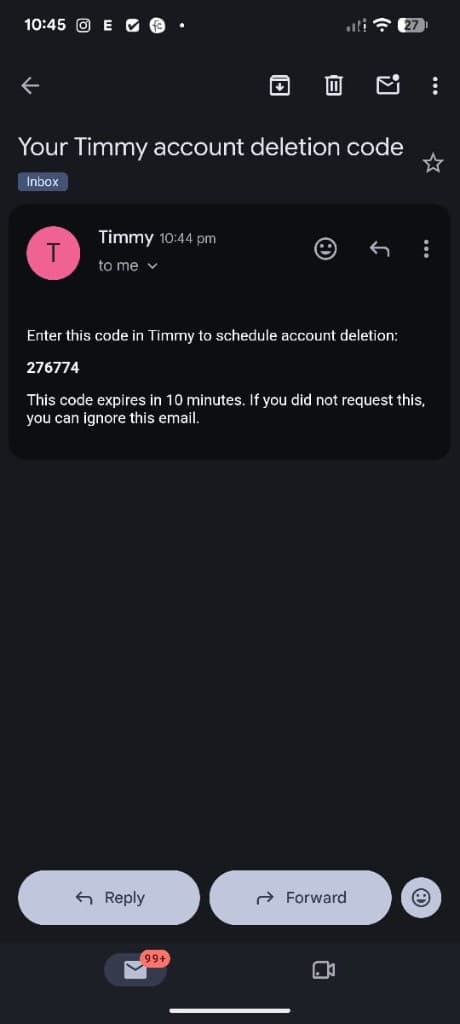
Enter the code from your email
Timmy emails a 6-digit code to the address on your account. Open that email, then enter the code in Timmy. The code expires in 10 minutes. If you did not request this, you can ignore the email.
05
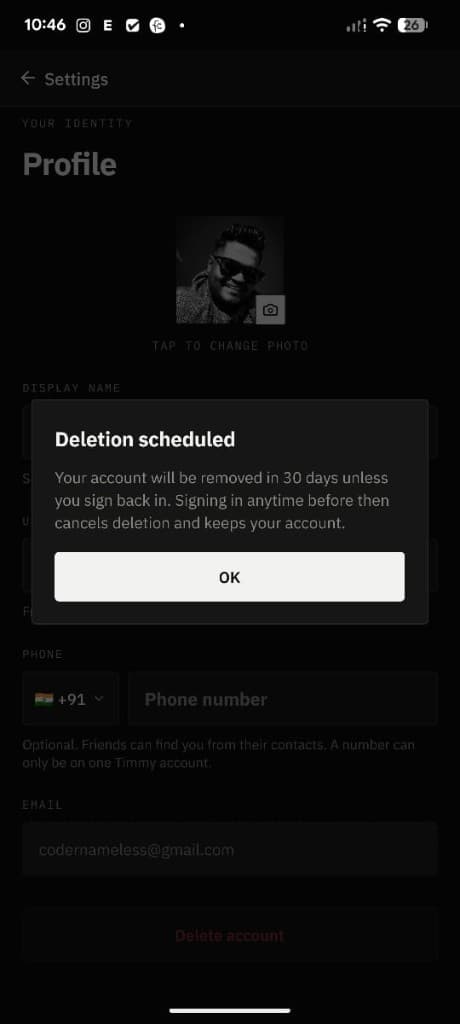
Deletion is scheduled
After the code is accepted, your account is marked for deletion. It is permanently removed 30 days later unless you sign back in before then.
Change your mind
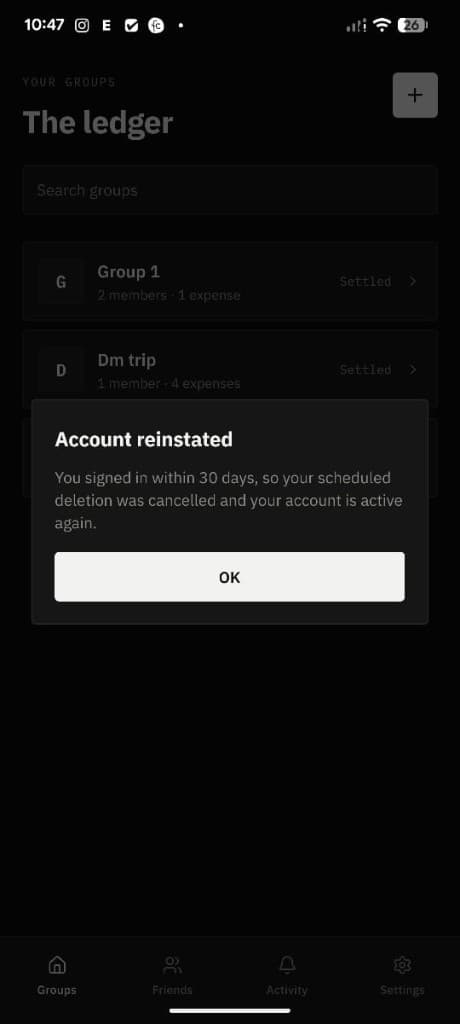
Sign in within 30 days to keep your account
If you want to stop the deletion, just open Timmy and sign in again before the 30 days are up. Timmy cancels the scheduled deletion and your account stays active.
After deletion
Once the 30-day window ends, the account and the data tied to it are permanently removed. Signing in after that will not restore it.
For the full picture of what Timmy stores and how we use it, see the Timmy privacy policy.
Need help?
If you cannot complete deletion in the app, email us and we will help: